
Introduction — Every Tool Tells a Story
When I started this journey I had no idea what tools I needed, which ones were worth paying for, which ones were free and which ones would actually make a difference to the quality of my content and the growth of my website.
I learned most of it the hard way — through trial and error, through hours of research, through building a website from scratch with zero web development experience and through producing content across YouTube, TikTok, Instagram and Pinterest while simultaneously running a tools website and writing blog posts that I hoped Google would eventually notice.
This guide is the resource I wish I had when I started. Every tool on this list is something I actually use. Not something I read about, not something I was paid to include — something that sits in my daily or weekly workflow and genuinely contributes to what I’m building.
Some have affiliate links. Where they do, I’ll be transparent about it. Where they don’t, I’ll tell you that too — because my honest recommendation is worth more to you than a commission.
Let’s go through everything.

Part 1 — The Foundation: Web Hosting and Your Website
Before any content gets created, before any tool gets used, before any blog post gets written — you need a home on the internet. Everything else sits on top of this foundation and if the foundation is weak, everything above it suffers.
Hostinger
Website: hostinger.com Cost: Paid — plans start from a few dollars per month START WITH HOSTINGER TODAY
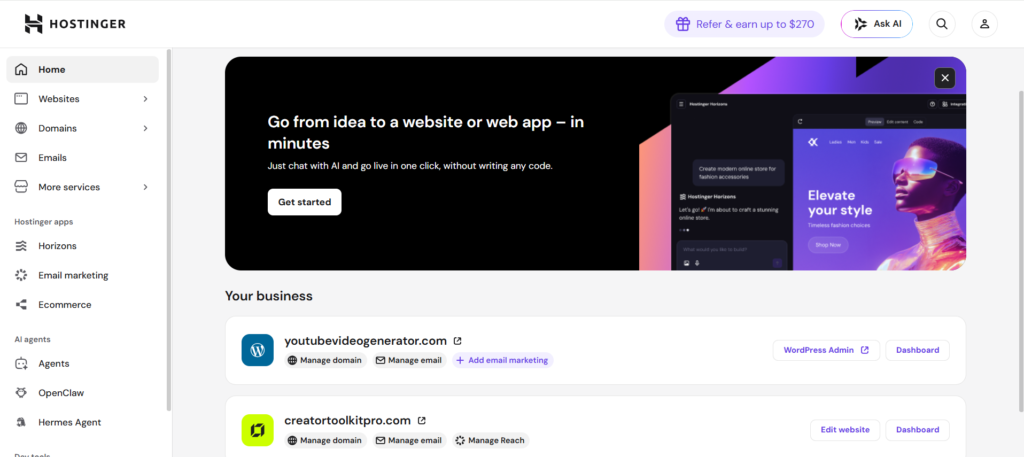
Hostinger is the web hosting platform this entire site runs on and it’s the first tool I recommend to anyone who asks me how to get started online.
When I decided to build YouTubeVideoGenerator.com I had never built a website before. I didn’t know what hosting was, I didn’t understand what a domain name was in practical terms and the idea of configuring a server felt completely out of reach. Hostinger changed that.
The setup process is genuinely beginner friendly. You choose your plan, claim your free domain name, and within minutes you have a real website address on a real server ready to be built on. Their hPanel control panel is clean and logical — nothing like the intimidating dashboards I’d seen screenshots of from other hosts.
What kept me on Hostinger as my site grew more complex — adding API integrations, PHP proxy files, custom tools — was the reliability and the support. When things went wrong, and they did, the 24/7 live chat support was there.
For any blogger or content creator starting from scratch, Hostinger is where I tell them to begin. Fast servers, free SSL certificate, free domain on most plans, one-click WordPress installation and a price point that doesn’t require a leap of faith.
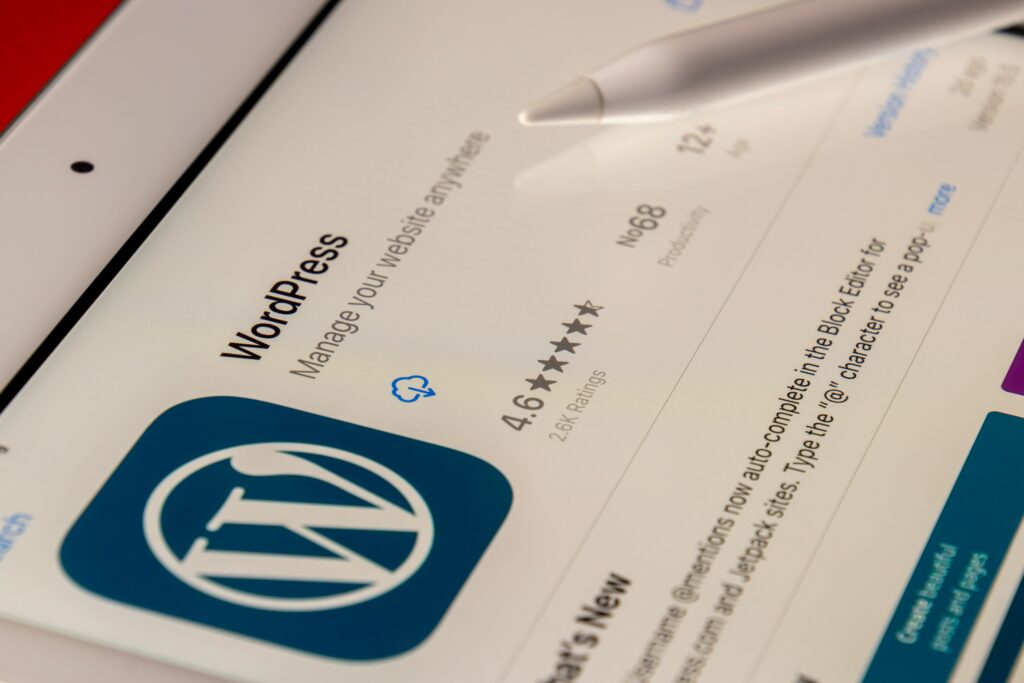
WordPress
Website: wordpress.org Cost: Free.
WordPress is the content management system that powers this blog and the majority of blogs on the internet. Roughly 43% of all websites globally run on WordPress — that number tells you everything you need to know about its reliability and longevity.
What WordPress does is give you a complete system for creating, formatting, publishing and managing your content without needing to write code. You log into your dashboard, click New Post, write your content, add your images, configure your SEO settings and hit publish. The result is a live, indexed, searchable blog post on your own website.
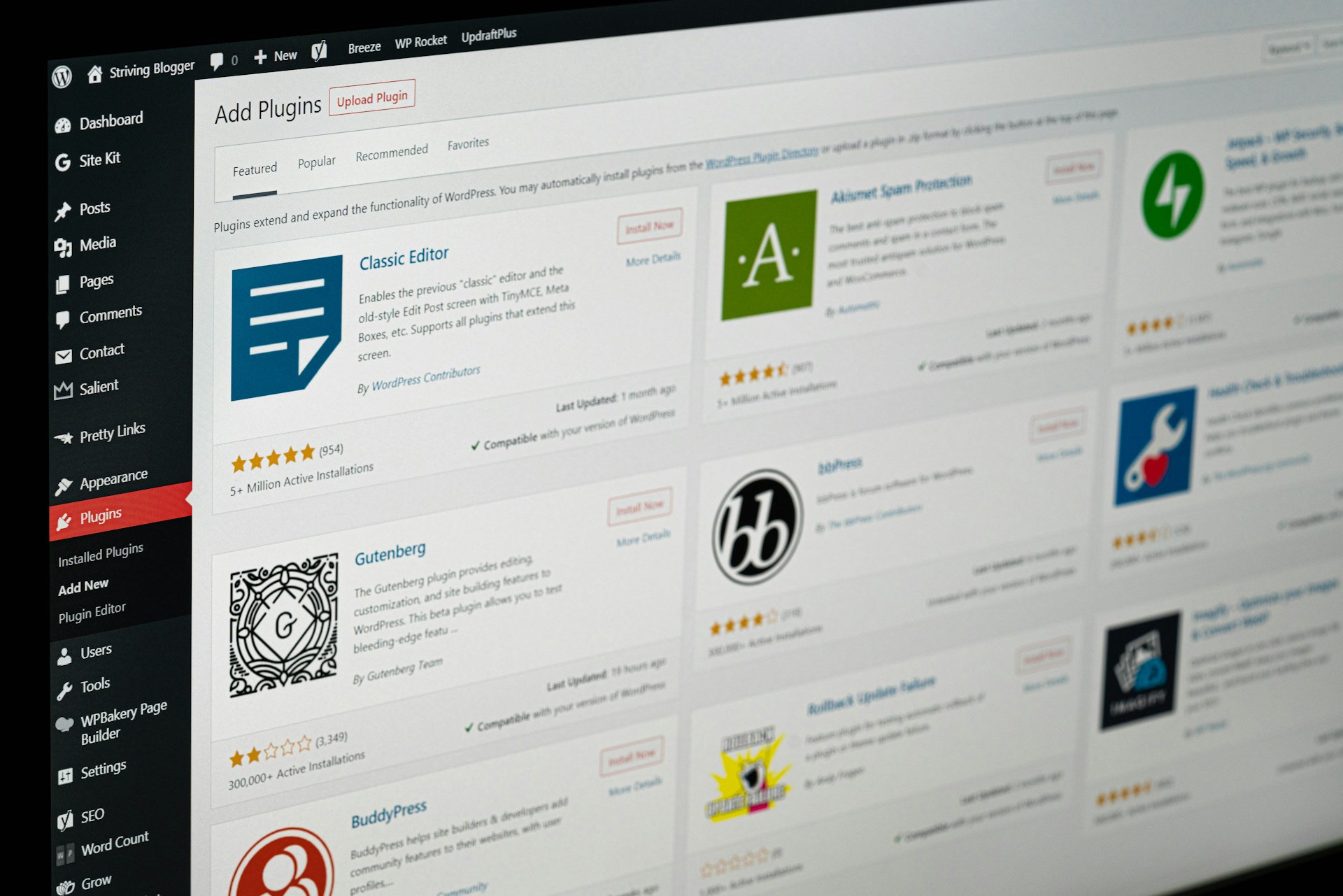
The real power of WordPress comes from its ecosystem. Thousands of themes control how your site looks. Thousands of plugins extend what your site can do. The community is enormous which means that whatever problem you run into, someone has already solved it and written about it.
Hostinger installs WordPress for you with a single click — so the technical barrier that used to stop people is essentially gone.
Essential WordPress plugins I use:
- SureRank — SEO optimisation for every post
- Google Analytics via WPCode — traffic tracking and performance data
- Google Tag Manager — tag management without touching code
- Akismet — spam comment filtering
- UpdraftPlus — automatic website backups
WordPress Themes — Astra
Website: wpastra.com Cost: Free tier available, paid upgrades available.
The Astra theme is what YouTubeVideoGenerator.com runs on. I chose it because it’s lightweight — meaning it doesn’t slow your site down — it’s highly customisable without needing to touch code and it works beautifully with the page builders and plugins that make WordPress practical for non-developers.
For any new blogger choosing a theme, my recommendation is to start with Astra’s free version, get your content built and only consider upgrading once you know exactly what additional features you actually need.
Part 2 — SEO and Analytics Tools
Building a website without SEO is like opening a shop and not telling anyone the address. These are the tools that make sure Google can find you, understand you and eventually rank you.
SureRank
Website: surerank.com Cost: Paid
SureRank is the SEO plugin I use on every single blog post published on this site. Before I hit publish on anything, SureRank guides me through the essential optimisation steps — the meta description, the focus keyword, the readability score, the internal links and the search engine preview that shows exactly how the post will appear in Google results.
For a non-technical blogger who wants to do SEO properly without needing to understand the underlying mechanics, SureRank makes the process systematic and repeatable. Every post gets the same level of attention and nothing important gets missed.
Google Analytics
Website: analytics.google.com Cost: Free
Google Analytics is installed on YouTubeVideoGenerator.com via a WPCode header snippet and it tells me everything I need to know about how the site is performing — how many people are visiting, where they’re coming from, which pages they’re reading, how long they’re staying and where they’re dropping off.
This data is what drives content decisions. If a particular blog post is getting significantly more traffic than others, that tells me the topic resonates and I should write more content in that direction. If a page has a high bounce rate, that tells me something about the content or the experience needs attention.
Google Analytics is free and essential. Install it from day one — the data you collect now becomes invaluable later.
Google Search Console
Website: search.google.com/search-console Cost: Free
Google Search Console is where you submit your website to Google for indexing and monitor how it’s performing in search results. It tells you which search queries are bringing people to your site, which pages are indexed, whether there are any crawl errors and how your site appears in search results.
When I launched YouTubeVideoGenerator.com one of the first things I did was submit the sitemap to Google Search Console. Seeing that first confirmation of full site indexing was a significant milestone — it meant Google knew we existed.
If you own a website and you’re not using Google Search Console, you’re flying blind. It’s free and takes about ten minutes to set up.

Part 3 — AI Writing and Thinking Tools
AI has fundamentally changed what’s possible for a solo content creator. Tasks that used to require a team — research, drafting, editing, brainstorming, coding — can now be handled by one person with the right AI tools in their workflow.
Claude AI
Website: claude.ai Cost: Free tier available
Claude is developed by Anthropic and it’s the AI I use most heavily for writing, research, strategy, coding assistance and content planning. What sets Claude apart from other AI tools is the quality of its reasoning and the naturalness of its writing output — content produced with Claude’s assistance reads like it was written by a thoughtful human rather than assembled by a machine.
This entire blog, including the detailed guide you’re reading right now, was developed using Claude as a thinking and writing partner. Blog outlines, full drafts, Pinterest descriptions, YouTube titles, pin text overlays, SEO strategy, website troubleshooting — Claude handles all of it.
For content creators who want to produce more, at a higher quality, without burning out — Claude is the tool that makes that possible.
ChatGPT
Website: chatgpt.com Cost: Free tier available
ChatGPT from OpenAI is the AI tool that most people encounter first and for good reason — it’s powerful, versatile and the free tier gives you meaningful capability without spending anything.
I use ChatGPT for idea generation, quick research, alternative headline options and cross-checking content approaches. Having two AI tools in your workflow rather than one gives you the ability to compare outputs and choose the best elements of each.
The free version accessible at chatgpt.com is a genuine tool, not a limited demo. For most content creation tasks it delivers strong results and is worth incorporating into your workflow even if you’re already using another AI platform.

Part 4 — AI Image Generation Tools
Visual content is no longer optional for bloggers and content creators. Every blog post, every Pinterest pin, every social media post benefits from strong imagery — and AI image generation has made professional-quality visuals accessible to solo creators without photography budgets or design skills.
Google Gemini
Website: gemini.google.com Cost: Free tier available
Gemini is my primary AI image generation tool and the one responsible for creating John, Jane and Boss Cat — the AI characters that appear across this site’s Pinterest pins, blog posts and social media content.
What makes Gemini particularly effective for consistent character generation is the level of detail you can build into your prompts. By describing the same character with the same physical attributes across multiple prompts, you get a consistent recognisable face that becomes a brand asset over time. John — early 30s, athletic build, short dark brown hair, blue-grey eyes, linen shirt — appears across dozens of images and is immediately recognisable as part of the Just Go For It Vlog visual identity.
For bloggers who want lifestyle imagery without hiring photographers or buying stock photo subscriptions, Gemini delivers stunning results that are completely original and owned by you.
CGDream
Website: cgdream.ai Cost: Free tier available
CGDream is a specialised AI image generation platform that goes beyond standard image creation with various customisation options, filters and 3D controls that give you cinematic quality output. The platform is particularly strong for creating detailed, textured imagery with a high-production feel.
For content that needs a more stylised or cinematic look — think dramatic lighting, detailed environments, character-focused compositions — CGDream gives you controls that more general AI image tools don’t offer.
Leonardo.AI
Website: leonardo.ai Cost: Free tier available
Leonardo.AI is a production-grade generative AI platform acquired by Canva in 2024 that combines multiple leading machine learning models into one workspace. What makes Leonardo valuable for serious content creators is the granular control it gives you over the output — style, lighting, composition, detail level and artistic direction can all be fine-tuned in ways that more consumer-focused tools don’t allow.
For digital artists, designers and creators who want precise control over their AI-generated imagery rather than just prompting and hoping, Leonardo.AI is one of the most capable platforms available.
OpenArt AI
Website: openart.ai Cost: Free tier available
OpenArt AI is an all-in-one creative studio founded in San Francisco by a team of ex-Google engineers that aggregates multiple advanced generative models into a single unified workspace. Rather than committing to one AI model’s particular style and limitations, OpenArt gives you access to a range of models so you can choose the right engine for each specific creative task.
For content creators who work across multiple visual styles — lifestyle photography, illustration, graphic design, character art — OpenArt’s multi-model approach means you’re never locked into one aesthetic.

Part 5 — Video Creation and Editing Tools
Video content is the highest-engagement format across every platform where content creators operate. YouTube, TikTok, Instagram Reels and Pinterest video pins all reward creators who can produce consistently good video content. These are the tools that make that possible.
Wondershare Filmora
Website: filmora.wondershare.com Cost: Paid — free trial available
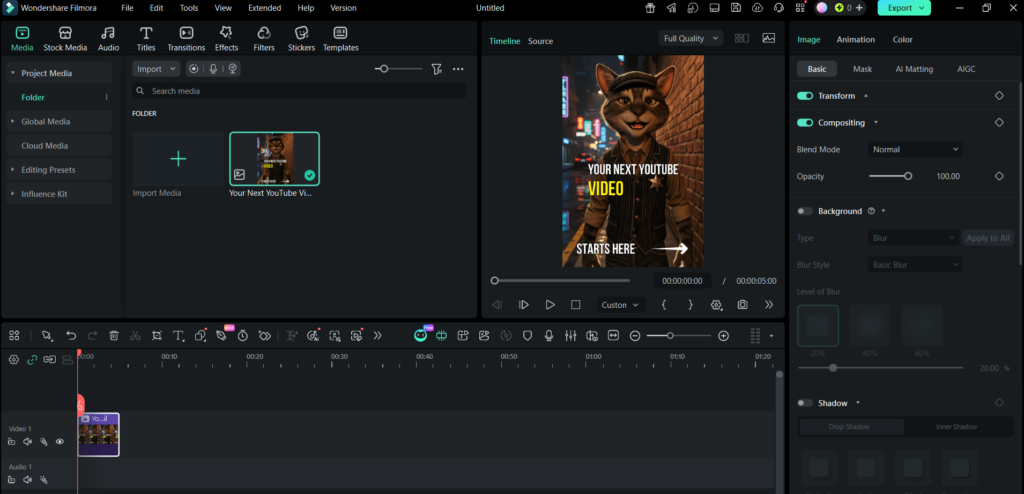
Filmora is my primary video editing software and the tool I use for every YouTube video, TikTok, Instagram Reel and Pinterest pin that requires video editing or text overlay work.
What makes Filmora the right choice for content creators at this level is the balance it strikes between capability and accessibility. Professional editing software like Adobe Premiere Pro has a learning curve that can take months to master. Filmora gives you the majority of the tools you actually need — cuts, transitions, text overlays, music, colour grading, speed controls, green screen — in an interface that makes sense from day one.
The text overlay workflow in particular is central to my Pinterest pin production process. Every pin you see on the Just Go For It Vlog Pinterest boards — the bold white and yellow text, the consistent formatting, the CTA lines — was built in Filmora using a workflow I developed over weeks of iteration.
Filmora runs on Windows, macOS, iOS and Android and also has a cloud-based web editor, meaning you can work from virtually any device.
VEED
Website: veed.io Cost: Free tier available, paid plans for advanced features
VEED is a cloud-based AI video creation and editing platform designed to make professional video production accessible without complex software. What sets VEED apart from desktop editors is that everything happens in your browser — no downloads, no installations, no compatibility issues across devices.
VEED is particularly strong for creators who need to produce polished video content quickly — subtitles are generated automatically with high accuracy, background removal works without a green screen and the AI tools handle tasks that would take significant time in traditional editing software.
For content creators who want to produce platform-optimised video content without the learning curve of traditional editing software, VEED is one of the most accessible and capable tools available in 2026.
Part 6 — Design and Graphics Tools
Canva
Website: canva.com Cost: Free tier available, Canva Pro for advanced features
Canva is the graphic design platform that almost every content creator reaches for and for good reason — it’s powerful, intuitive and the free tier gives you genuine capability without spending anything.
Founded in 2012 in Australia by Melanie Perkins, Cliff Obrecht and Cameron Adams, Canva has grown into one of the most widely used design tools in the world. The platform covers social media graphics, presentations, video, websites, marketing materials and more — all through a drag-and-drop interface that requires no design training.
For bloggers, Canva is particularly useful for creating featured images, infographics, social media posts and branded visual assets that maintain a consistent look across platforms. The template library is enormous and the ability to set brand colours, fonts and logos means every piece of content you create feels like it belongs to the same visual identity.
Part 7 — Audio and Voice Tools
Voicemaker
Website: voicemaker.in Cost: Free tier available, paid plans for extended use
Voicemaker is an advanced AI-powered Text-to-Speech converter that transforms written text into human-like audio across more than 2,000 AI voices in 130 languages. For content creators who need voiceover for videos, presentations or audio content without recording their own voice, Voicemaker delivers quality that has improved dramatically as AI voice technology has matured.
The platform serves more than 5 million registered users globally — a number that reflects both the quality of the output and the breadth of use cases it covers. For multilingual content creators or those building content for international audiences, the language range alone makes it an invaluable tool.
Part 8 — YouTube Growth and Research Tools
Velio
Website: velio.co Cost: Paid — Chrome extension available
Velio is a data-driven YouTube growth tool and Chrome extension designed specifically for YouTubers who want to understand what’s actually working on the platform rather than guessing. The platform filters through millions of videos to track viral outliers, analyse titles and thumbnails, identify niche trends and surface the content patterns that are driving views in your specific space.
For YouTube creators who want to make data-informed decisions about what to create, what to title it and how to thumbnail it — rather than relying on gut feeling — Velio gives you the intelligence layer that separates strategic creators from those who are simply uploading and hoping.
YouTube Studio
Website: studio.youtube.com Cost: Free
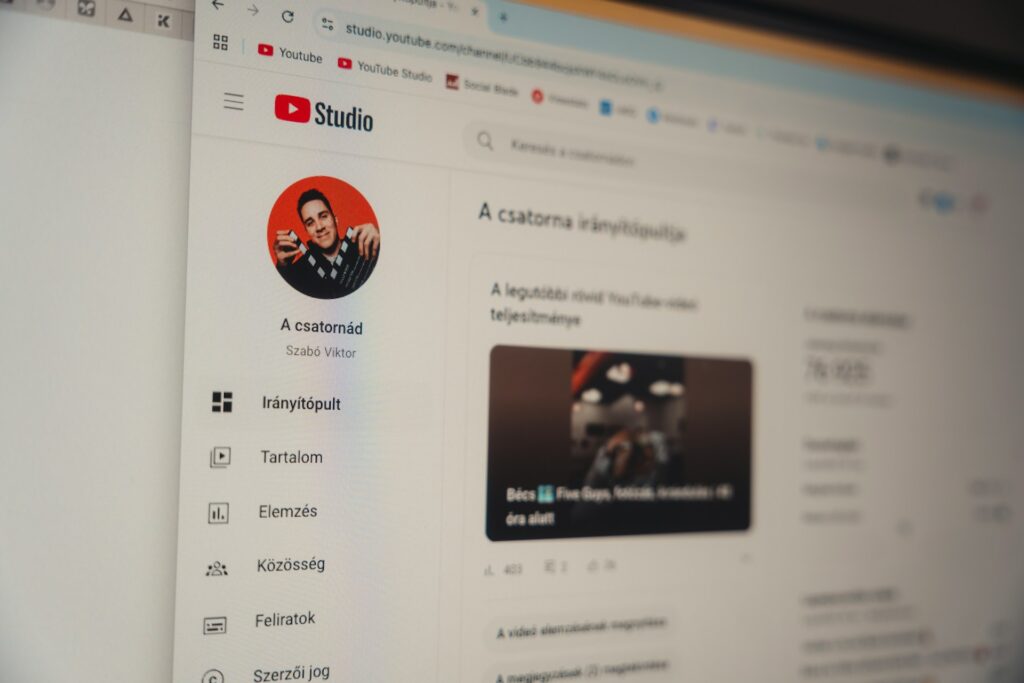
YouTube Studio is the free dashboard that every YouTube creator uses to manage their channel — uploading videos, writing descriptions, adding tags, monitoring analytics, responding to comments and understanding how each video is performing.
What makes YouTube Studio essential rather than optional is the analytics depth it provides. You can see exactly where viewers are dropping off in your videos, which traffic sources are sending people to your channel, how your click-through rate compares across different thumbnails and which videos are driving the most subscriber growth.
Understanding your YouTube Studio data is what separates creators who grow from creators who plateau. Use it after every upload and let the numbers guide your next decision.
TubeBuddy
Website: tubebuddy.com Cost: Free tier available, paid plans for advanced features
TubeBuddy is a browser extension and YouTube certified tool that sits directly inside YouTube Studio and adds a layer of SEO intelligence, competitor research and optimisation tools that YouTube’s native dashboard doesn’t provide.
The tag suggestions, keyword explorer, best time to publish recommendations and A/B thumbnail testing features are all tools that give serious YouTube creators a genuine competitive advantage. For anyone committed to growing a YouTube channel strategically rather than by accident, TubeBuddy is one of the first tools worth investing in.
VidIQ
Website: vidiq.com Cost: Free tier available, paid plans for advanced features
VidIQ is TubeBuddy’s main competitor and many serious YouTubers use both tools simultaneously because each has strengths the other doesn’t. VidIQ’s keyword research, competitor channel tracking and daily video idea suggestions are particularly strong and the free tier gives you meaningful capability before you consider upgrading.
The VidIQ score that appears on every YouTube video when you have the extension installed gives you an instant read on how well optimised any video is — your own and your competitors’. That competitive intelligence alone is worth the install.
Part 9 — Free Media Resources
Great content requires great visuals and not everything needs to be AI generated or self-photographed. These three platforms give you access to thousands of high-quality images, videos and music that are free to use commercially without attribution.
Unsplash
Website: unsplash.com Cost: Free
Unsplash is the go-to resource for high-quality free photography. The library covers virtually every subject imaginable — landscapes, cityscapes, lifestyle, technology, food, people, nature — and every image is licensed for free commercial use. For blog header images, in-post photography and social media visuals where you need professional quality without a budget, Unsplash is the first place to look.
Pexels
Website: pexels.com Cost: Free
Pexels covers both photos and videos under a free commercial licence. The video library is particularly useful for content creators who need B-roll footage — background video clips that add visual interest to YouTube videos, TikToks and Instagram Reels without filming everything yourself. The search functionality is strong and the quality consistently high.
Pixabay
Website: pixabay.com Cost: Free
Pixabay rounds out the free media toolkit with a library that includes photos, videos, music and sound effects all under a free commercial licence. The music and sound effects library in particular is useful for video creators who need background audio without copyright concerns. Everything on Pixabay is released under the Pixabay licence which allows free use for commercial purposes without attribution.
Part 10 — Social Media and Distribution Platforms
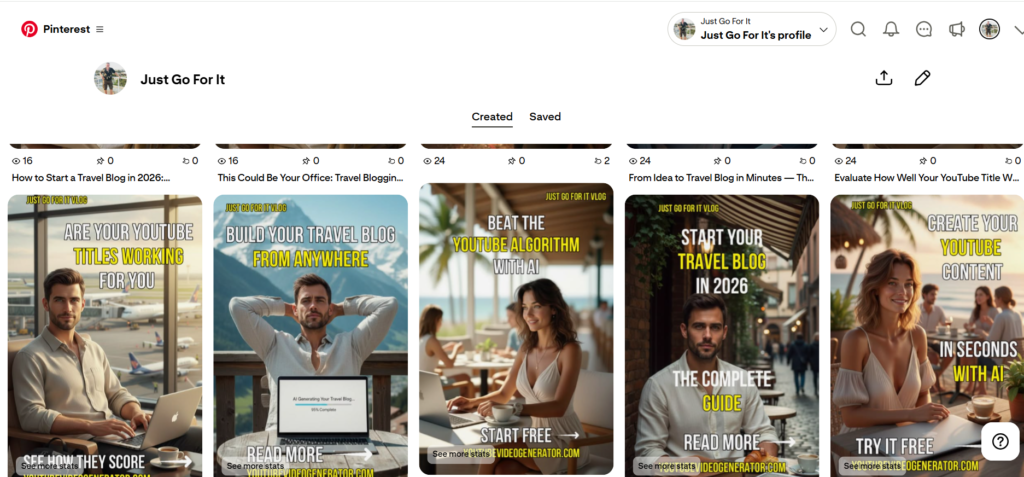
Website: pinterest.com Cost: Free — Pinterest Business account recommended
Pinterest is not just a social media platform — it’s a visual search engine and one of the most powerful free traffic sources available to bloggers and content creators. Unlike Instagram or TikTok where content has a lifespan measured in hours, a well-crafted Pinterest pin can continue driving traffic to your blog for months or years after it’s published.
The Just Go For It Vlog Pinterest strategy centres on creating vertical pins at a 2:3 ratio with bold white and yellow text overlays, a consistent brand identity and a clear call to action on every pin. Each pin links directly to a blog post, a tool page or a resource on YouTubeVideoGenerator.com — turning Pinterest traffic directly into site visitors.
For any blogger who is not yet using Pinterest as a traffic strategy, it is one of the highest-leverage moves available in 2026.
YouTube
Website: youtube.com Cost: Free
YouTube is both a content platform and a search engine — the second largest search engine in the world after Google. Building a YouTube presence alongside your blog creates a content ecosystem where each platform feeds the other — blog readers discover your YouTube channel, YouTube viewers click through to your blog and the combined presence builds authority in your niche faster than either platform alone.
The Just Go For It Vlog YouTube channel covers YouTube content creation, lifestyle content from the Sunshine Coast of Queensland and the creator tools and strategies documented on this site.
TikTok
Website: tiktok.com Cost: Free
TikTok’s short-form video format is one of the fastest ways to build awareness and reach new audiences in 2026. While TikTok is not the most reliable driver of direct blog traffic — that role belongs to Pinterest and YouTube — it is an effective brand-building platform and a place to repurpose content that has already been created for other platforms.
Short clips from YouTube videos, behind-the-scenes content, quick tips and location drops from Sunshine Coast beaches have all performed well on the Just Go For It Vlog TikTok account. The 1,000-view milestone on the Didgeridoo video was an early signal that the audience is there.
Website: instagram.com Cost: Free
Instagram at @justgoforitvlog serves as the lifestyle and visual brand layer of the Just Go For It Vlog content ecosystem. Location drops from Alexandra Headland, Mooloolaba, Cotton Tree and Maroochydore, food content and behind-the-scenes creator life content all find a natural home on Instagram.
While Instagram’s algorithm makes organic reach less predictable than Pinterest or YouTube, it remains an important platform for community building and brand credibility. A strong Instagram presence tells potential collaborators, brands and new audience members that Just Go For It Vlog is a real, active and professional content operation.
Part 11 — Your Own Tools
YouTubeVideoGenerator.com
Website: youtubevideogenerator.com Cost: Free to use — this is our site
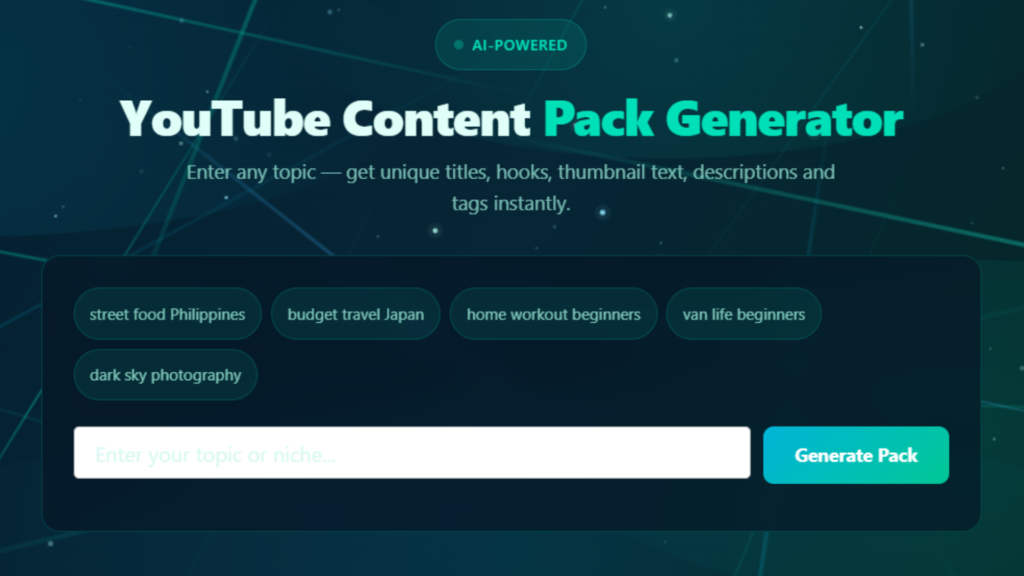
No tools list for this site would be complete without mentioning the tools we built ourselves. YouTubeVideoGenerator.com hosts two free AI-powered tools that I use in my own content creation process and that thousands of YouTube creators use every week.
YouTube Content Pack Generator takes your video topic and generates a complete content pack — titles, descriptions, tags, a content outline and more — using AI. What used to take hours of research and writing now takes seconds and the output is optimised for YouTube search from the start.
YouTube Title Analyzer evaluates any YouTube title against key SEO and engagement metrics and gives you an instant score with specific recommendations for improvement. Before any video gets uploaded, the title goes through the analyzer.
Both tools are completely free. They exist because I needed them and I built them from scratch — learning WordPress, PHP proxy configuration, DNS settings, API integration and Google Analytics installation along the way. That journey is documented across this blog and it’s proof that you don’t need a technical background to build something real on the internet.
Conclusion — The Toolkit Is Just the Beginning
Every tool on this list contributes something to what I’m building — but none of them work without the thing that connects them all, which is consistent effort applied over time.
The best camera doesn’t make you a photographer. The best editing software doesn’t make you a filmmaker. The best hosting doesn’t make you a blogger. What makes you any of those things is showing up, creating, publishing, learning from the results and doing it again.
What these tools do is remove the barriers that used to make content creation inaccessible to solo creators without big budgets or technical teams. AI handles writing assistance, image generation, voiceover and video editing. Free platforms handle distribution. Affordable hosting handles the technical infrastructure. The playing field has never been more level.
Your toolkit is ready. The only question is what you’re going to build with it.
Images on this site created with AI assistance.