Introduction — Why You’re Reading This at the Right Time
If you’ve ever sat at a beach, scrolled through someone else’s travel content and thought “I could do this” — you’re probably right. But then the questions start piling up. Where do I even begin? Do I need to know how to code? How much will it cost? Will anyone actually read it?
I had every one of those questions when I started. This guide exists because I wish someone had sat down with me and explained everything from scratch — not the watered-down version, not the version that assumes you already know what hosting means — the real version, step by step, written for someone who is coming in completely blind.
By the time you finish reading this, you will know exactly what a travel blog is, why 2026 is still a great time to start one, what tools you need, how to set everything up using Hostinger, and how to write your first post. No fluff, no filler — just everything you actually need to know.
Part 1 — What Is a Travel Blog and Why Does It Still Matter in 2026?
A travel blog is a website where you publish written content, photos and videos about places you’ve visited, travel tips, destination guides, accommodation reviews, food experiences and anything else connected to travel and lifestyle.
But here’s what most people don’t tell you — a travel blog in 2026 is much more than a digital diary. It’s a business platform, a content hub, a monetisation engine and a personal brand all rolled into one.
Social media platforms like Instagram, TikTok and YouTube are powerful, but you don’t own them. The algorithm changes, accounts get suspended, reach drops overnight and there is nothing you can do about it because it isn’t your platform. A blog is different. Your website is yours. You own the content, you control the experience and you build an asset that grows in value over time.
Search engines like Google send people to blog posts every single day — people searching for “best cafes in Mooloolaba” or “how to travel Australia on a budget” or “Sunshine Coast hidden beaches.” If your blog answers those questions, those readers come directly to you without you paying for advertising and without any algorithm deciding whether your content gets seen.
That’s the power of a blog and why it remains one of the smartest long-term moves a content creator can make in 2026.
Part 2 — Can You Actually Make Money From a Travel Blog?
Yes — but let’s be honest about how it works because too many guides skip this part.
Travel blogs make money through several streams and most successful bloggers use a combination of all of them rather than relying on just one.
Affiliate marketing is where you recommend products, tools, accommodation or services and earn a commission when someone clicks your link and makes a purchase. You don’t hold any stock, you don’t handle any transactions — you simply point people toward things that genuinely help them and get paid when they buy. Hostinger, for example, runs an affiliate program. If you recommend Hostinger on your blog and a reader signs up through your link, you earn a commission. That commission can be significant.
Display advertising is where you place ads on your blog through networks like Google AdSense or Mediavine. Every time a reader views or clicks an ad, you earn a small amount. This sounds tiny at first but when your traffic grows to tens of thousands of monthly visitors, those small amounts add up to meaningful income.
Sponsored content is where brands pay you to write about their products or destinations. Tourism boards, hotels, airlines and gear companies all work with travel bloggers to reach their audiences. Once your blog has an established readership, these opportunities come to you.
Digital products are things you create once and sell repeatedly — travel guides, itinerary templates, photography presets, ebooks and courses. No inventory, no shipping, pure profit margin.
YouTube and social media integration means your blog becomes the hub and your videos, Instagram and TikTok content drive traffic back to it. Each platform feeds the others and your blog is the home base that captures and converts that traffic.
None of this happens overnight. Building a travel blog that generates meaningful income takes consistent effort over months and sometimes years. But the compounding nature of it means that content you write today can still be sending you traffic and earning you money in five years time. That’s not something a social media post can do.
Part 3 — Choosing Your Travel Blog Niche
One of the biggest mistakes new travel bloggers make is trying to cover everything. “I’ll write about every country I visit, every type of travel, every kind of traveller.” It sounds logical but it makes it very hard for Google to understand what your blog is about and very hard for readers to know whether your content is for them.
A niche is simply a focused area of travel that you specialise in. It doesn’t have to be so narrow that you run out of things to write about, but it should be specific enough that a reader can land on your blog and immediately understand who it’s for.
Here are some examples of travel niches that perform well:
Solo travel is a massive niche with a loyal, passionate audience. People travelling alone have very specific needs around safety, meeting people, accommodation choices and budgeting.
Budget travel appeals to younger audiences, students, gap year travellers and anyone who wants to see the world without spending a fortune. Content around cheap flights, free activities and budget accommodation does extremely well in search engines.
Luxury travel is the opposite end of the spectrum and attracts a high-spending audience. Affiliate commissions in this niche tend to be higher because the products being recommended cost more.
Family travel covers the enormous audience of parents trying to plan holidays that work for everyone. Reviews of family-friendly resorts, tips for flying with kids and destination guides for families all generate strong search traffic.
Australian travel or regional travel is a smart niche if you’re based in Australia, as you have genuine local knowledge, you can create content from personal experience and you’re targeting an audience with strong purchasing power. A Sunshine Coast travel blog, for example, could own that local search traffic over time.
Van life and road trips has exploded as a niche and covers everything from vehicle conversions to campsite reviews to route planning guides.
The best niche for you is one that sits at the intersection of what you genuinely know, what you’re genuinely interested in, and what people are actively searching for. You don’t have to lock yourself in forever — your niche can evolve as your blog grows — but starting with a clear focus will help you build authority faster.

Part 4 — Choosing Your Blog Name and Domain
Your blog name is your brand. It should be memorable, easy to spell, relevant to your content and available as a domain name. A domain name is your website address — for example, youtubevideogenerator.com is a domain name.
Here’s what to keep in mind when choosing yours:
Keep it short. Long domain names are hard to remember, easy to misspell and look clunky on business cards and social media bios. Aim for two to three words maximum.
Make it easy to spell. If someone hears your blog name spoken out loud, they should be able to type it correctly the first time without having to guess.
Avoid numbers and hyphens. They create confusion — “is it the number 4 or the word four?” and “was there a hyphen between those words?” are questions you don’t want your readers asking.
Consider your long-term direction. If you choose a very specific name like “MooloolabaBeachBlog.com” you might feel constrained later if you want to cover the broader Sunshine Coast or Australian travel. Something a little broader gives you room to grow.
Check availability on social media as well as your domain. You want your blog name, your Instagram handle, your TikTok username and your YouTube channel name to all match or be close enough that people can find you easily across platforms.
Once you have a name in mind, you’ll check domain availability and purchase it through your hosting provider — which brings us to the next step.
Part 5 — Understanding Web Hosting (And Why It Matters)
This is the part that confuses almost every new blogger and it doesn’t need to. Let me explain it simply.
Think of your blog as a house. The domain name is your street address — it’s how people find you. Web hosting is the land your house sits on — it’s the server, the physical computer somewhere in the world, that stores all your files, your images, your words and your code and serves them up to anyone who visits your address.
Without hosting, your domain name is just an address with nothing behind it. Without a domain name, your hosting has no address for people to visit. You need both and they work together.
Now here’s the thing — there are dozens of hosting companies out there and choosing the wrong one is a genuinely costly mistake. Slow hosting means slow websites. Slow websites mean readers leave before your page even loads. Readers who leave mean Google ranks you lower. Lower rankings mean less traffic. Less traffic means less income. Everything flows from the quality of your hosting.
This is why the hosting decision matters more than most beginners realise.
Part 6 — Why We Use and Recommend Hostinger
After testing and researching hosting options for content creators and bloggers, Hostinger is the one we recommend and the one this site runs on. Here’s why.
Price without compromise. Hostinger offers genuinely excellent hosting at a price point that makes it accessible for beginners. You don’t need to spend a fortune to get reliable, fast hosting when you’re starting out. Their plans start at a few dollars per month and include everything you need to launch.
Speed. Hostinger uses LiteSpeed web servers and has data centres across multiple continents. This means your blog loads fast — and fast loading is one of Google’s ranking factors. A one-second improvement in load time can meaningfully improve how many readers stay on your site.
Free domain name. Most Hostinger plans include a free domain name for the first year, which means you’re getting your hosting and your address in one place at one price. This simplifies the setup considerably for beginners.
Free SSL certificate. An SSL certificate is what puts the padlock icon in your browser address bar and changes your address from http to https. It tells visitors that your site is secure and Google uses it as a ranking signal. Hostinger includes this free with all plans.
One-click WordPress installation. WordPress is the platform most bloggers use to build and manage their content — more on this shortly. Hostinger makes installing WordPress completely painless with a single click through their control panel.
24/7 customer support. When something goes wrong with your website — and at some point something always does — you need to be able to reach someone who can help. Hostinger’s support team is available around the clock via live chat.
User-friendly control panel. Hostinger’s hPanel is one of the cleanest and most intuitive hosting control panels available. If you’ve never managed a website before, you’ll find it far less intimidating than alternatives.

Part 7 — Setting Up Your Hostinger Account Step by Step
Once you’ve clicked through to Hostinger and chosen your plan, the setup process is straightforward. Here’s exactly what to expect.
Step 1 — Choose your plan. The Premium Web Hosting plan is the sweet spot for new bloggers. It covers everything you need, allows multiple websites and comes with a free domain. Select it and click the Get Started button.
Step 2 — Choose your billing period. Hostinger offers monthly, annual and multi-year billing. The longer the period you commit to, the lower the monthly rate. For most beginners, a one or two year plan makes the most sense — it locks in the discounted rate and gives your blog enough time to grow before you need to think about renewal.
Step 3 — Create your account. Enter your email address and create a password, or sign up using your Google account for a faster process.
Step 4 — Complete payment. Hostinger accepts credit cards, PayPal and various other payment methods depending on your region. Enter your payment details and complete the purchase.
Step 5 — Claim your free domain. After purchasing, you’ll be prompted to claim your free domain name. This is where you enter the blog name you decided on earlier and check its availability. If your first choice is taken, try variations until you find one that works and that you’re happy with.
Step 6 — Access hPanel. Once everything is set up, you’ll land in Hostinger’s control panel called hPanel. This is your home base for everything related to your website — installing WordPress, managing your domain, setting up email addresses and monitoring your site’s performance.
Part 8 — Installing WordPress
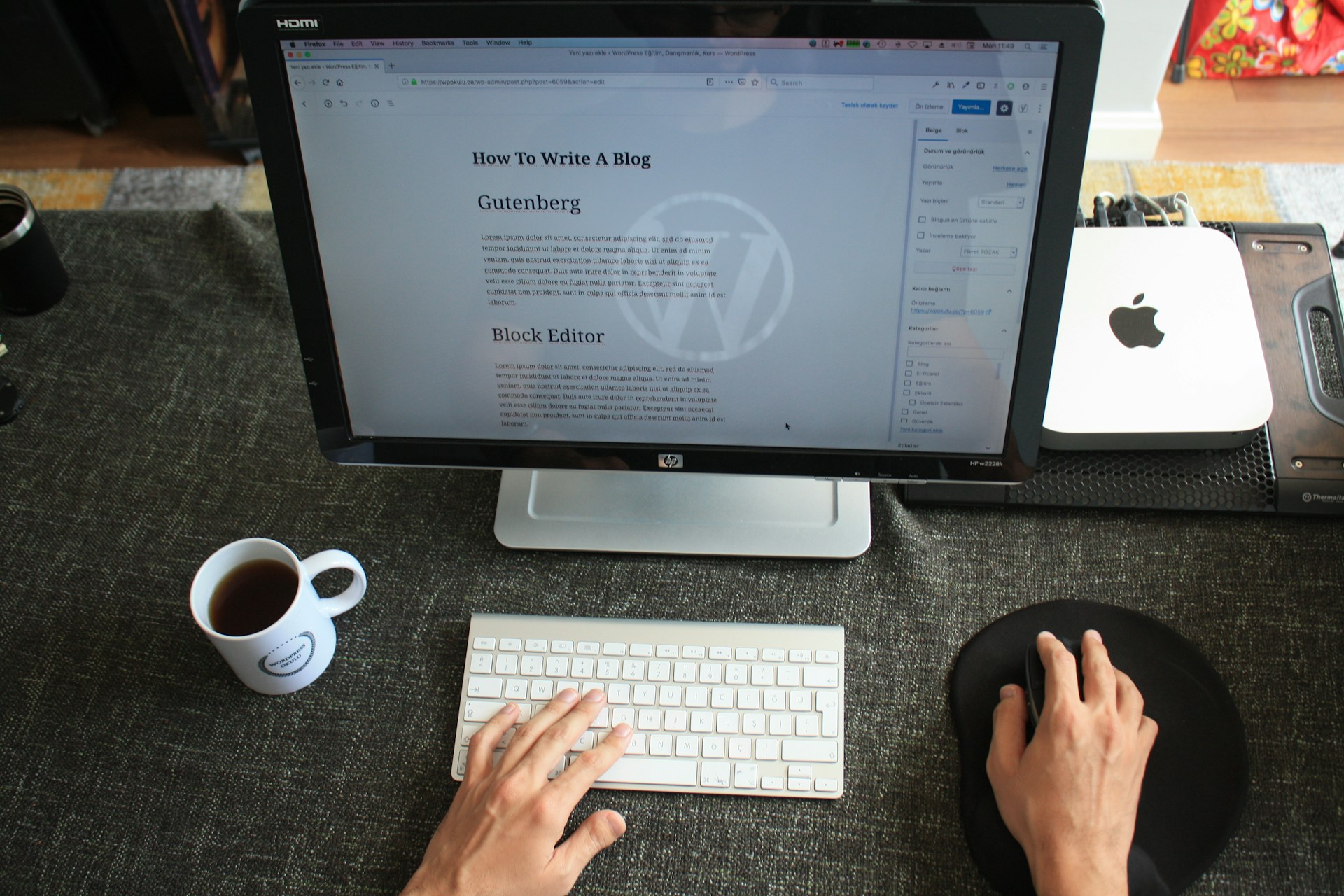
WordPress is the content management system that the majority of the world’s blogs run on. It’s free, open source, endlessly customisable and has a massive community of developers building themes and plugins for it. If you’ve heard of it but aren’t sure what it does — it’s the system that lets you write, format, publish and manage your blog posts without needing to know any code.
Installing WordPress through Hostinger takes about two minutes.
From your hPanel dashboard, look for the WordPress section or find it under the Websites menu. Click Install WordPress and follow the prompts. You’ll be asked to choose which domain to install it on — select the domain you just registered. You’ll also set up your WordPress admin username and password — make a note of these as you’ll use them every time you log into your blog.
Once the installation is complete, you can access your WordPress dashboard by going to yourdomain.com/wp-admin and entering those credentials. This dashboard is where you’ll spend most of your time as a blogger — writing posts, uploading images, installing plugins and managing your site.
Part 9 — Choosing and Installing a Theme
A WordPress theme controls how your blog looks — the layout, the fonts, the colours, the overall visual style. There are thousands of free and premium themes available and choosing the right one sets the tone for your entire brand.
For a travel blog, you want a theme that puts imagery front and centre, loads quickly, looks great on mobile devices and is easy to navigate. Some themes that work particularly well for travel blogs include Astra, OceanWP and GeneratePress — all of which have free versions that are more than adequate for getting started.
To install a theme, go to your WordPress dashboard, click Appearance in the left menu, then Themes, then Add New. Search for the theme you want, click Install and then Activate. Your blog will immediately take on the visual style of that theme.
Don’t spend weeks agonising over your theme. Choose something clean and functional, get your content started and you can always refine the design later. The words you write matter far more than the exact shade of your header colour.
Part 10 — Essential Plugins for Your Travel Blog
Plugins are add-ons that extend what WordPress can do. Think of them like apps on your phone — your phone works without them but the right ones make everything better and easier.
Here are the essential plugins every travel blog needs from day one.
Yoast SEO or Rank Math — These are SEO plugins that help you optimise each blog post for search engines. They guide you through adding the right keywords, writing good meta descriptions and structuring your content so Google can understand it. Install one of these before you publish a single post.
WP Rocket or LiteSpeed Cache — A caching plugin makes your website load faster by storing a version of your pages so they don’t have to be rebuilt from scratch every time someone visits. Site speed matters for both user experience and search rankings.
Smush or ShortPixel — Travel blogs use a lot of images and large image files slow your site down significantly. These plugins automatically compress your images without visibly reducing their quality, keeping your site fast.
UpdraftPlus — This is a backup plugin that automatically saves copies of your entire website at regular intervals. If something ever goes wrong — a plugin conflict, a hack, a failed update — you can restore your site to a previous version. Never run a website without backups.
Akismet — This plugin filters spam comments. Once your blog starts getting traffic, spam comments arrive in volume. Akismet handles this automatically in the background.
MonsterInsights or Site Kit by Google — These plugins connect your blog to Google Analytics so you can see exactly how many people are visiting, where they’re coming from, which posts they’re reading and how long they’re staying. Data is how you make smart decisions about what to write next.
To install any plugin, go to your WordPress dashboard, click Plugins in the left menu, then Add New, search for the plugin by name, click Install and then Activate.
Part 11 — Writing Your First Travel Blog Post
This is where many new bloggers freeze. The setup is done, the theme looks good, the plugins are installed — and then the blank page appears and the doubt sets in. What do I write? Will it be good enough? Does anyone care?
Here’s the truth — your first post will not be perfect and that’s completely fine. No one’s first post is perfect. What matters is that you write it, publish it and learn from the process.
For your first post, write about something you know well and genuinely care about. If you’re based on the Sunshine Coast, write a destination guide to Mooloolaba. Cover the best beaches, the best places to eat, where to stay, what to do with kids, hidden spots the tourists miss. Write it as if you’re telling a friend who’s visiting for the first time and wants the inside knowledge that only a local has.
Structure your post clearly. Use a strong headline that includes the location name and a keyword people might search — something like “The Complete Guide to Mooloolaba: Everything You Need to Know Before You Visit.” Use subheadings to break the content into sections. Write in a conversational tone that’s easy to read. Include your own photos wherever possible — real, original photography performs better than stock images and builds trust with your readers.
Aim for at least 1,500 words on your first post — longer posts tend to rank better in search engines because they cover topics more thoroughly. Don’t pad it with filler just to hit a word count though. Write everything that’s genuinely useful and stop when you’ve covered the topic properly.
Before you hit publish, go through your Yoast SEO or Rank Math plugin and follow its guidance to optimise the post. Add a meta description — a short summary that appears under your link in Google search results. Make sure your main keyword appears in your headline, your first paragraph and naturally throughout the post.
Part 12 — SEO Basics Every Travel Blogger Needs to Understand
SEO stands for Search Engine Optimisation and it’s the practice of making your content visible to people searching for it on Google. It sounds technical but the fundamentals are straightforward.
Keywords are the words and phrases people type into Google when they’re looking for information. “Things to do in Mooloolaba” is a keyword. “Best restaurants Sunshine Coast” is a keyword. “How to travel Australia on a budget” is a keyword. Your job is to write content that answers the questions people are already asking.
To find good keywords for your travel blog, use Google’s own search bar — start typing a topic and watch what Google suggests. Those suggestions are real searches that real people make. Also scroll to the bottom of a Google results page and look at the “Related searches” section. These are all topics you could write blog posts about.
Search intent means understanding why someone is searching for something. Are they looking for information? Are they trying to make a decision? Are they ready to book something? Your content should match what the searcher actually wants — an informational post for someone researching, a comparison post for someone deciding, a booking guide for someone ready to act.
Backlinks are links from other websites pointing to yours. Google sees these as votes of confidence — if other sites are linking to your content, it must be worth reading. Building backlinks takes time but it happens naturally as your content gets better and more people discover it. You can also actively seek them out by guest posting on other blogs, being mentioned in travel roundups and connecting with other creators in your niche.
Internal linking means linking from one of your blog posts to another. If you write a post about Mooloolaba and then later write a post about the Sunshine Coast broadly, link between them. This helps Google understand the structure of your site and keeps readers on your blog longer.
Part 13 — Promoting Your Travel Blog
Writing great content is only half the job. The other half is making sure people find it.
Pinterest is one of the most powerful traffic sources for travel bloggers and it’s criminally underused by beginners. Pinterest is a visual search engine — people go there to discover ideas, plan trips and save content for later. A well-designed pin linking to your blog post can drive traffic for months or even years after you create it. Create vertical pins at a 2:3 ratio, use bold text overlays with your post headline and post consistently to relevant boards.
YouTube and your travel blog are natural partners. Film video content from the same locations you write about, include a link to your blog post in the video description and mention it in the video itself. Viewers who want more detail will click through to your blog and readers who find your blog through Google will discover your YouTube channel.
Instagram and TikTok are useful for building awareness and personality but they are not reliable traffic drivers to your blog in the way Pinterest and YouTube are. Use them to build your brand and community but don’t rely on them as your primary traffic strategy.
Email newsletter — from your very first post, start collecting email addresses. Offer readers something valuable in exchange — a free travel checklist, a packing guide, a destination itinerary template. An email list is the most direct line of communication you have with your audience and it’s completely independent of any algorithm. When you publish a new post, you email your list and they come straight to your site.
Part 14 — How to Monetise Your Travel Blog With Hostinger’s Affiliate Program
Once your blog is live and you’re writing regularly about travel tools, technology and the digital lifestyle that makes travel blogging possible, you have a natural opportunity to recommend Hostinger to your readers.
Think about it — every travel blogger needs a website. Every website needs hosting. If your readers are inspired by your content and want to start their own travel blog, they need exactly what you needed when you started. Recommending Hostinger through your affiliate link means you earn a commission every time someone follows your recommendation and signs up.
This is not about being salesy. It’s about genuinely helping your readers take the same step you took and being compensated fairly for that referral. Done authentically, affiliate recommendations like this build trust rather than eroding it.
Write a dedicated blog post about how you set up your travel blog — document the exact steps you took, the tools you used and the decisions you made. Include your Hostinger affiliate link naturally within that content. This post will attract readers who are at exactly the right moment in their journey — ready to start but unsure how — and your honest account of your own experience is exactly what they need to take action.
Conclusion — Your Travel Blog Starts Today
Everything you’ve just read is the roadmap. The niche, the name, the hosting, the WordPress setup, the plugins, the first post, the SEO basics, the promotion strategy, the monetisation — it’s all here.
The only thing left is to start.
Most people who read guides like this don’t start. They bookmark it, they come back to it, they read another guide and another one after that, and months pass without a single word being published. Don’t be that person.
Pick your niche today. Choose your blog name today. Head to Hostinger through our link below, set up your hosting and claim your domain. Install WordPress. Choose a theme. Write your first post this week.
It doesn’t have to be perfect. It just has to exist. Everything else follows from that first step.
The beach will still be there when you get back from setting it all up.

Images on this site created with AI assistance.